Tools · Scheduling & Capacity
Can I Take This Job? Capacity Planner
"Yeah, we can get to that in a couple of weeks."
$32 one-off
Buy — $32Can-I-Take-This-Job-Capacity-Planner.xlsx · 5 tabs, 524 live formulas, no macros
Instant download, nothing ships. Works in Excel, no subscription. If it does not do what you needed, tell me and I will make it right.
It's the most expensive sentence in a service business. Said on site, from memory, standing next to a customer who wants an answer — and nearly always optimistic, because the jobs you've already promised aren't in front of you and the hours they still need aren't either.
Then the couple of weeks becomes five. The customer who was told two weeks tells people. And the crew works Saturdays to hit a date that was never real.
Start with what you can actually sell.
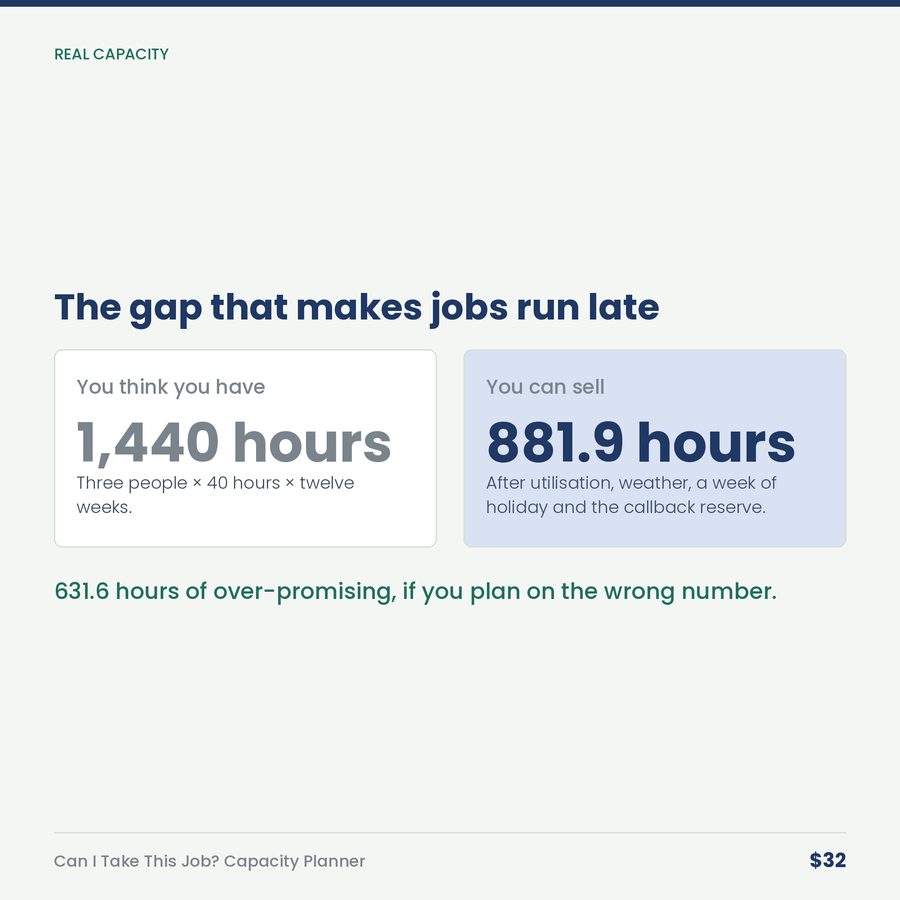
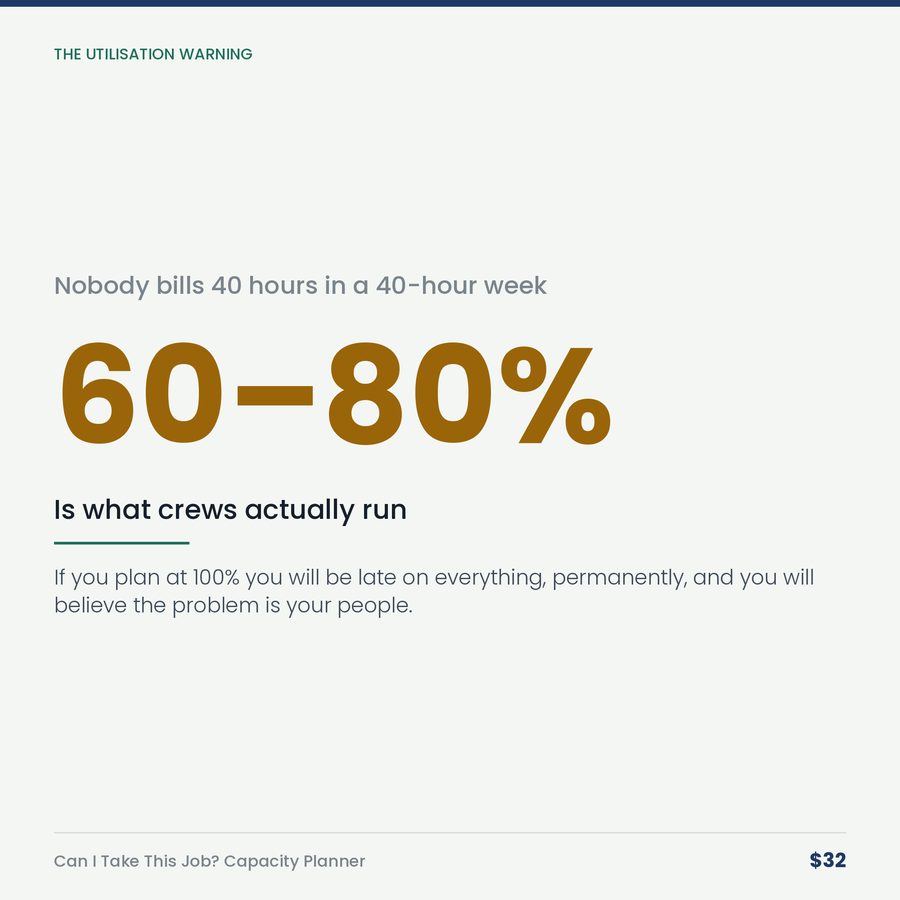
A three-person crew looks like 1,440 hours over the next twelve weeks. Then take out realistic utilization — nobody bills 100% of their paid hours, most crews land between 60% and 80% once travel, loading, quoting and weather are counted. Take out a week of holiday. Take out the eight percent you lose to weather and breakdowns. Reserve six hours a week for callbacks, because they'll take the time whether you reserve it or not.
Real capacity: 881.9 hours.
The gap is 631.6 hours — and that gap is exactly how much a business over-promises when it plans on the wrong number.
Then put your committed work against it.
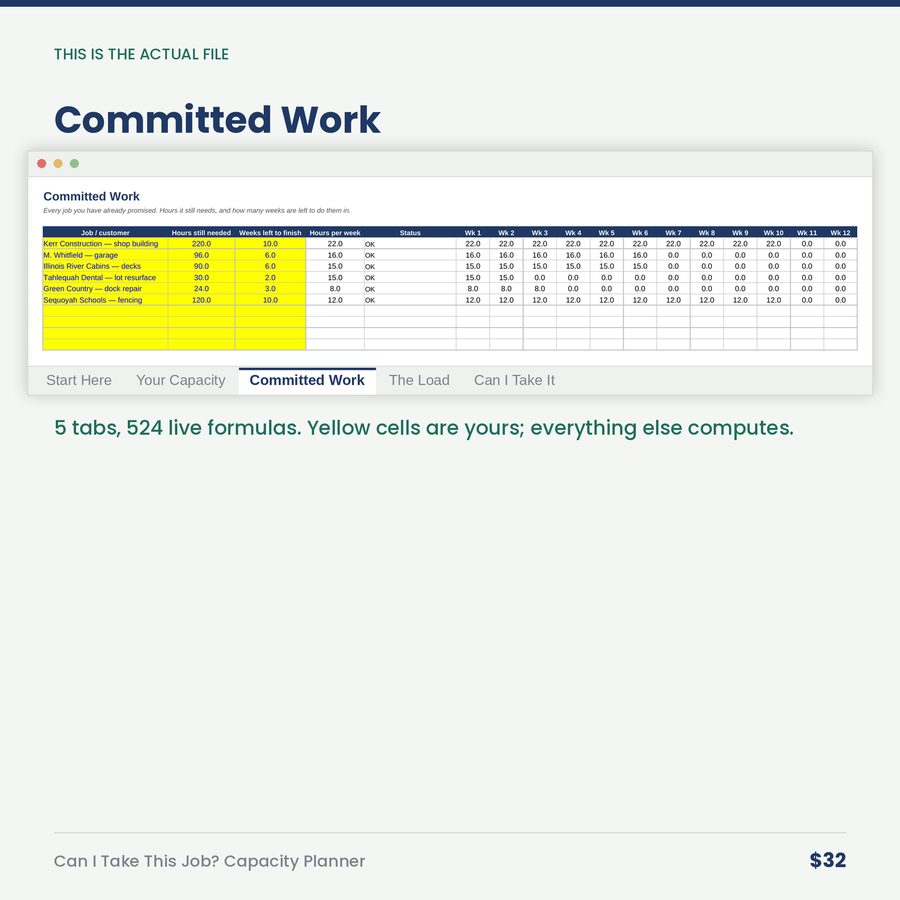
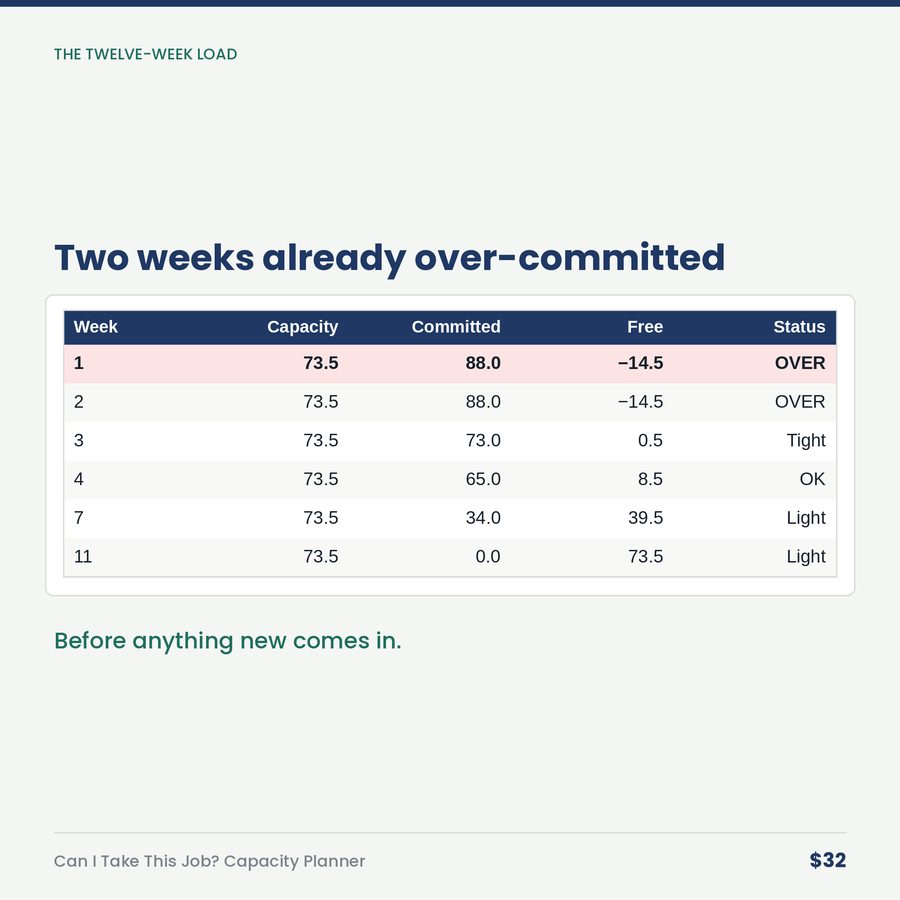
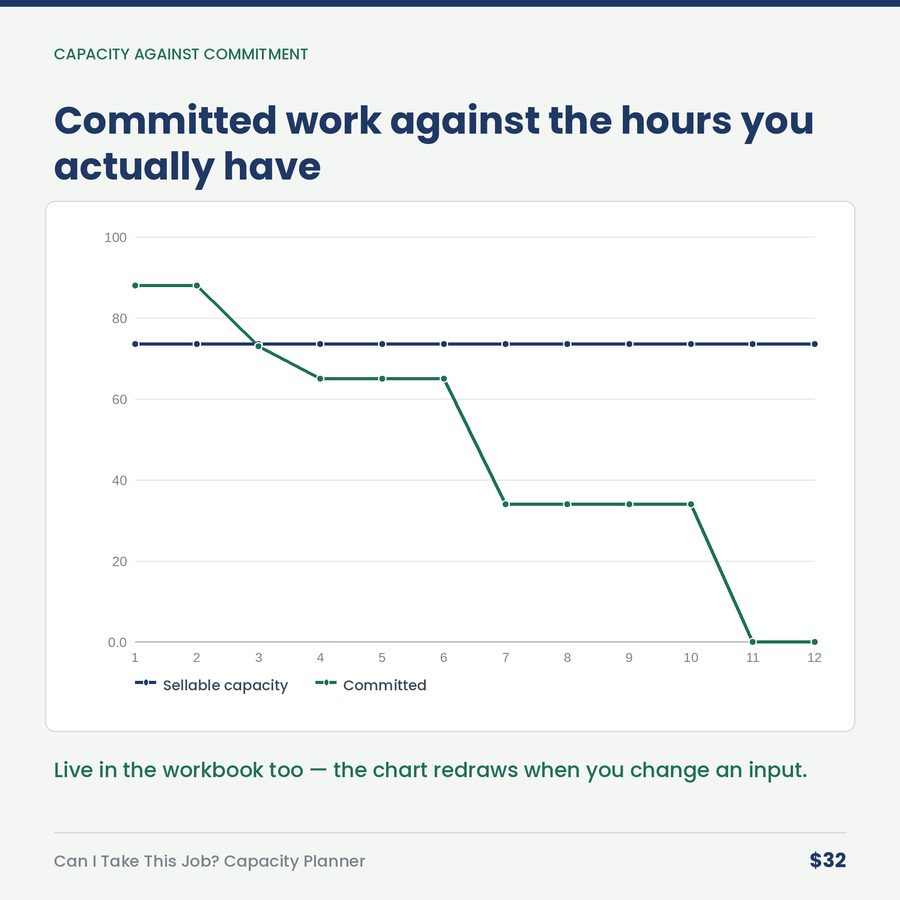
Every job you've already promised: the hours it still needs, and the weeks left to do them in. Twelve weekly columns show capacity, commitment, free hours and load, with each week flagged OVER / Tight / OK / Light.
In the example: two weeks already over-committed before anything new comes in.
Then answer the question in front of you.
A customer wants a 240-hour job done in four weeks.
The workbook says: "No — not at that pace."
And then the honest version:
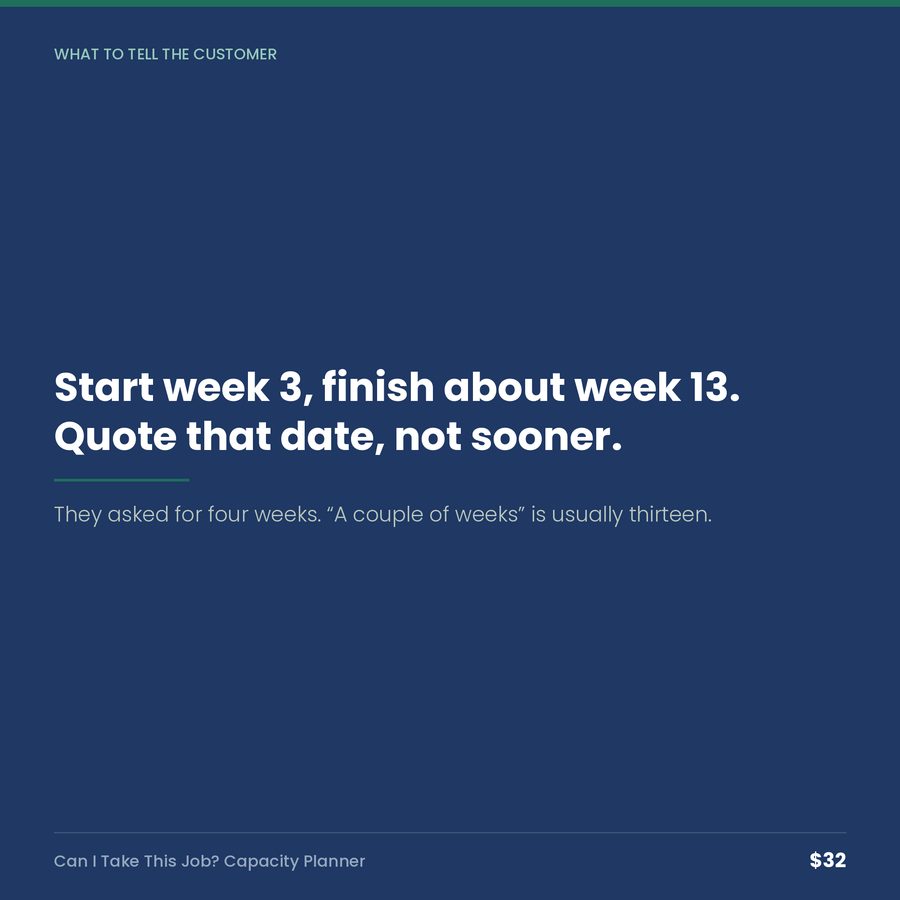
> ### "Start week 3, finish about week 13. Quote that date, not sooner."
Not two weeks. Thirteen.
It also tells you the overtime answer (week 9.5, if the crew can genuinely sustain it), how many committed hours you'd have to displace to say yes anyway, and the value per hour of this job against the work you'd be pushing aside — so you take it only if it's genuinely better, not just newer.
The habit that makes it work
Ten minutes a week, at the same time you update your quotes. Then when someone asks on site how soon you can start, you say "let me check and come back to you this afternoon" — and you come back with a date you can keep.
Nobody has ever lost a job for taking four hours to answer. Plenty have lost customers for answering instantly and being wrong by three weeks.
Built for
General contractors and remodelers · concrete, roofing, fencing, excavation · electrical, plumbing and HVAC · landscaping and tree work · any crew-based business that quotes dates as well as prices.
What you get
One .xlsx file, five tabs, 30 job rows, instant download. Excel, Google Sheets, Apple Numbers, LibreOffice. No macros, no add-ins, no subscription.
A realistic three-person crew with six live jobs is already loaded. Type over it.
A look inside
More in Scheduling & Capacity
The Owner's Hour: Time Audit & Delegation Calculator
You are doing $16-an-hour errands while owning a $32-an-hour job — and the $81 selling hours go undone.
$24
What a No-Show Costs: The Appointment Business Calculator
Your 2pm didn't show. The materials come back — the hour never does. Here's what the empty chairs cost, and th
$24
The Job Pipeline Tracker (Airtable Template)
Your pipeline number is a lie. This base tells you the honest one.
$24